InfoQ has made another of my DevTeach talks available online – TDD/BDD as Architectural Tools. Enjoy!

TDD/BDD as Architectural Tools

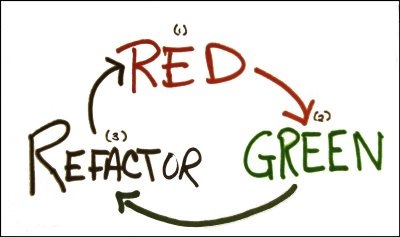
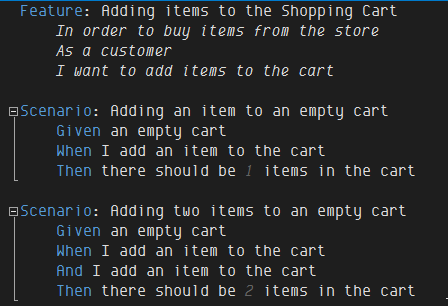
As architects, we have all experienced the folly of BDUF (Big Design Up Front) – spending weeks or months perfecting an architecture that fails when it meets the real requirements and real code. Is it possible to design in the small? How can we avoid unintended complexity, which cripples so many code bases? Can we build enough of an architecture to start writing code and then flesh out our architecture as the code evolves? In this session we examine how Test-Driven Development (TDD) and Behaviour-Driven Development (BDD) allow us to solve these conundrums. We will see how we can use TDD/BDD to focus our architectural efforts in the high-value areas of our code base to achieve just-in-time architecture.

A friend just pointed out that my presentation on “Convention-over-Configuration in an Agile World” is being featured by InfoQ. (The speaker is always the last to know.) I’m honoured and humbled by the great responses from folks. Worst criticism so far is that the presentation isn’t about TDD/BDD. Well, it’s not. Here is my original description:

Convention-over-Configuration in an Agile World

As developers, we spend an inordinate amount of time writing “glue code”. We write code to transform database rows to domain objects… domain objects to view-models or DTOs… We write code to configure inversion of control containers and wire dependencies together. We write code to style our UIs and respond to UI events. Wouldn’t it be nice if this could happen automagically for us? This session will look at using convention-based approaches using Fluent NHibernate and Castle Windsor to reduce the amount of repetitive code and accelerate application development.

So check it out and let me know what you think…

A question I often get asked is why psake does not include something similar to NAnt’s <replacetokens>. The reason is because it’s so darn easy to do it in PowerShell. Given foo.txt.template:

@@foo@@ is @@bar@@!!!

The following script will perform the replacement:

# replace.tokens.ps1
$foo = 'PowerShell'
$bar = 'da bomb'
(cat foo.txt.template) -replace '@@foo@@', "$foo" `
                       -replace '@@bar@@', "$bar" `
                       > foo.txt

(Note the backticks (`) at the end of the line to denote continuation.)

This script will produce:

PowerShell is da bomb!!!

You could easily write a function that would take care of the nitty gritty details. The @@var@@ is arbitrary. You could use any sequence you like. You can even perform regex matches in the @@var@@ expression if needed. Note the double quotes around "$foo". This is PowerShell for performing variable replacements in strings. So "$foo" results in the word PowerShell whereas ‘$foo’ results in the word $foo.

So there you have it. Token replacement built right into PowerShell. Happy Scripting!

Another year, another fun time at DevTeach. Thanks to everyone who came out to my sessions and asked questions. For those interested, you can download slides and demos from here:

TDD/BDD as Architectural Tools (slides | code)

Convention-over-Configuration (slides | code)

Agile Development with IoC and ORM (slides | code)

N.B. Code is compressed with 7-Zip, a free and awesome file archiver. It supports a wide variety of archive formats, including the high compression ratio 7z format. It integrates into Windows Explorer and is much, much, much faster than the Windows built-in zip archiver. Highly recommended.

Once upon a time there were four friends – two TextBoxes and two ComboBoxes. They all lived happily on a WPF Window bound together in blissful MVVM harmony. The TextBoxes were bound to the ViewModel’s TextBoxText property and the ComboBoxes to the ComboBoxSelectedItem property.

MVVM ComboBox

<Window x:Class="MvvmComboBox.MainWindow"
        xmlns="http://schemas.microsoft.com/winfx/2006/xaml/presentation"
        xmlns:x="http://schemas.microsoft.com/winfx/2006/xaml"
        xmlns:mvvm="clr-namespace:MvvmComboBox"
        Title="MVVM ComboBox" Width="300" Height="150">
    <Window.Resources>
        <mvvm:MainWindowViewModel x:Key="viewModel"/>
    </Window.Resources>
    <StackPanel DataContext="{StaticResource viewModel}">
        <TextBox Text="{Binding TextBoxText.Value}"/>
        <TextBox Text="{Binding TextBoxText.Value}"/>
        <ComboBox ItemsSource="{Binding ComboBoxItems}"
                SelectedItem="{Binding ComboBoxSelectedItem.Value}"/>
        <ComboBox ItemsSource="{Binding ComboBoxItems}"
                SelectedItem="{Binding ComboBoxSelectedItem.Value}"/>
    </StackPanel>
</Window>

TextBoxText and ComboBoxItem are both Observable<T> so that INotifyPropertyChanged notifications are broadcast properly to all interested parties.

public class Observable<T> : INotifyPropertyChanged where T:class {
    public event PropertyChangedEventHandler PropertyChanged = (o,e) => { };

    private T value;
    public T Value {
        get { return value; }
        set {
            if(this.value == value) return;
            this.value = value;
            PropertyChanged(this, new PropertyChangedEventArgs("Value"));
        }
    }
}

ASIDE: Notice the event definition in line 2. By assigned a NOP (no operation) lambda, I don’t have to check whether any listeners are registered for the event. I can simply fire the event and worse case scenario, I execute an empty function body rather than throwing a NullReferenceException. This is tidier in my opinion than the if(PropertyChanged != null) nonsense that we’ve been using for years.

The view model is similarly simple.

public class MainWindowViewModel {
    public MainWindowViewModel() {
        TextBoxText = new Observable<string>();
        ComboBoxSelectedItem = new Observable<string>();
    }

    public Observable<string> TextBoxText { get; set; }
    public Observable<string> ComboBoxSelectedItem { get; set; }

    public IEnumerable<string> ComboBoxItems {
        get {
            yield return "One";
            yield return "Two";
            yield return "Three";
            yield return "Four";
            yield return "Five";
        }
    }
}

With the INotifyPropetyChanged in place, changing one TextBox will cause its twin to display the same value and same for the two ComboBoxes.

MVVM ComboBox synchronized

We get a strange new requirement that every second change should be ignored. (The actual business requirement was more sensible. I was displaying a list of entities for editing. If the previous entity wasn’t saved, the user would be presented with a save dialog and standard “yes/no/cancel” options. On cancel, I wanted to disregard the ComboBox change and revert back to the previously selected entity.)

public class Observable<T> : INotifyPropertyChanged where T:class {
    public event PropertyChangedEventHandler PropertyChanged = (o,e) => { };

    private T value;
    private int count;
    public T Value {
        get { return value; }
        set {
            if(this.value == value) return;

            if(count++ % 2 == 0) return;

            this.value = value;
            PropertyChanged(this, new PropertyChangedEventArgs("Value"));
        }
    }
}

So based on business rules, we’ve ignored a change to the view model. The TextBoxes always remain synchronized – reverting back to the previous value if the change is ignored. Unfortunately the changed ComboBoxes becomes unsynchronized with the view model if the view model ignores a change.

MVVM ComboBox unsynchronized

If you examine the view model in the debugger, the TextBoxText is “Hello, world! Hello, again!” as expected. You can change either TextBox as many times as you want. Every other edit is ignored and causes its changes to revert, as expected. Examining the current state of the view model’s ComboBoxSelectedItem, its value is “Four” and not “Two”. I selected “Two” in the first ComboBox, which was the ignored change. The first ComboBox is now unsynchronized with the view model. If you change the selection again, both ComboBoxes have the correct value. The problem is only with changes ignored by the view model.

Let’s create a new type derived from ComboBox to fix this problem.

namespace JamesKovacs.MvvmComboBox {
    public class ComboBox : System.Windows.Controls.ComboBox {
        protected override void OnSelectionChanged(SelectionChangedEventArgs e) {
            base.OnSelectionChanged(e);
            var binding = GetBindingExpression(SelectedItemProperty);
            if(binding != null) {
                binding.UpdateTarget();
            }
        }
    }
}

I perform the normal OnSelectionChanged event and then update the ComboBox’s SelectedItemProperty from the bound ViewModel if a binding exists. This ensures that if the view model ignores changes or modifies the selection in some way, the ComboBox displays the correct value. Minor note: I am defining a derived ComboBox in my own namespace, which is also called ComboBox. I do this so that in my XAML, I can apply the fix by prepending <ComboBox/> with my namespace <mvvm:ComboBox/>. With this fix in place, my MVVM ComboBox remains synchronized with its view model.

image

In most cases, MVVM model binding dramatically simplifies your WPF code. Unfortunately there are some cases where bugs in the framework prevent it from working properly. Fortunately in many cases you can work around these limitations by simply deriving your own custom control from the one supplied with WPF to fix these problems.

For those of you who want to play around with the code, you can find it here. Happy coding!

ADDENDUM: As noted by Michael L. Perry in this comment, WPF behaviours can also be used to inject code without subclassing ComboBox. The code sample now includes his behaviour code in addition to the subclassing option. Also to note is that a bug in .NET 4.0 prevents the fix from working. The ComboBox (regulard, subclassed, or behavioured) becomes unsynchronized from the view model. The subclassing code works correctly in .NET 3.5. If there are any WPF gurus out there who can understand why it works in .NET 3.5, but not .NET 4.0, I would love to hear an explanation.

imageSystem.Type and XML are the nuts and gum of the development world. You can stuff a System.Type into an XML file, but it leaves a bad taste in your mouth. Sometimes you don’t have much choice. For example:

  • Custom configuration sections in App.config/Web.config
  • Handlers and modules in Web.config
  • ProxyFactoryFactory, 2nd-level cache provider, database dialect, and other pieces of configuration in hibernate.cfg.xml*
  • XML-based IoC configuration**

* NHibernate Loquacious configuration is now a better option for configuring NHibernate IMHO and I use it in all my new apps rather than hibernate.cfg.xml.

** For IoC containers, convention-over-configuration is a better choice followed by code-based configuration. I use XML-based configuration only as a last resort, but it can sometimes be useful for configurable overrides.

When you do need to encode a System.Type into a XML file, JetBrains ReSharper makes your life a lot easier. (This is a little-known feature of ReSharper shown to me by Ilya “Orangy” Ryzhenkov, ReSharper Product Manager.) I decided to create a completely silly, contrived example where we need to display a list of hot peppers and their Scoville heat units and the information is stored in App.config. (Yes, I know. A database or flat file would be a better place. I told you that it was a contrived example.) I have created a PeppersConfigurationSection class that is defines the <peppers> configuration section. I need to specify the type name in the <configurationSections> where it says <INSERT_TYPE_NAME_HERE>

<?xml version="1.0" encoding="utf-8" ?>
<configuration>
  <configSections>
    <section name="peppers" type="<INSERT_TYPE_NAME_HERE>" />
  </configSections>
  <peppers>
    <pepper name="Crazy Jerry's Brain Damage" scovilles="11000" type="sauce"/>
    <!-- more peppers -->
  </peppers>
</configuration>

Rather than typing out the namespace-qualified type name, I simply type PCS for PeppersConfigurationSection and press ReSharper’s Import Symbol Completion (IDEA: CTRL-ALT-Space; VS: ALT-SHIFT-Space).

Import Type Completion

You can see the normal ReSharper completion pop-up appear. Selecting the first one, I get:

Type Completed

This is fine and dandy if the custom configuration section is defined in your project, but what if you need to specify the assembly name too? ReSharper once again comes to our rescue with a Quick Fix (ALT-Enter).

Add module qualification

Selecting the Add module qualitication Quick Fix and we end up with this. (I added linebreaks between the parts of the fully qualified type name for ease of readability in the screenshot.)

ImportTypeCompletion4

Add module qualification is even handier if the assembly has a public key token as those are a hassle to look up. Once again, ReSharper does the hard work of inserting the type name – I only typed NVSH CTRL-ALT-Space – and then the quick fix to get the qualification with assembly name, version, culture, and public key token:

ImportTypeCompletion5

I hope this little ReSharper gem makes your coding lives just a little bit easier…

N.B. ReSharper 5.1 and 6.0 EAP (up to at least build 2136) has a bug that causes Import Symbol Completion to fail for files named Web.config in a ASP.NET project. If you rename Web.config to Foo.config – no other changes necessary – you can use Import Symbol Completion. Just remember to rename the file back to Web.config when you’re done. Another option is to copy Web.config to another project type (Console and Class Library both work), make your changes, and then copy back. I have reported the issue to JetBrains here and the team is working on a fix.

[Originally published on Telerik blog here. Republished with permission.]

As developers, we like to believe that only raw data matters. And what is more raw than the written word? Does this mean that email is a more efficient communication mechanism than in-person meetings? Email contains just the raw words of our intent, right? The receiver can scan through looking for relevant content. Their computer can index and search our email. Why don’t we communicate everything in email? We’ve all experienced the miscommunication that can happen in email. So what are we missing?

The reality is that humans are social animals. We are attuned to many communication side channels – tone of voice; verbal pauses; facial expressions; body language. These side channels communicate additional information above and beyond the written (or spoken) word. What we are effectively doing with these side channels is increasing our communication bandwidth and when it comes to communication, more bandwidth is better. Just like increasing bandwidth in your computer network means pushing more bits of data per second through the pipe, you can do the same thing with your personal and team communications. Arranging some common forms of communication from lowest to highest bandwidth.

  • One-way text (email/tweet/txt)
  • Two-way text (IM)
  • Voice
  • Video
  • Face-to-Face

As you go from low to high, the amount of information communicated per unit time increases and the likelihood of asking for clarification goes up. You’re much more likely to ask for clarification on an uncertain point when talking to someone than when you’re texting. Having to craft a reply creates a certain amount of impedance and if you’re fairly certain you know what the person is talking about, you won’t send that clarifying text or email. When talking, you’re much more likely to simply say back, “Let me see if I understand what you’re staying” and proceed to paraphrase your understanding of what they said.

Let’s look at daily stand up meetings as an example of high-bandwidth communication. The purpose of the daily stand up meetings is to keep team members apprised of progress on the project. Daily stand up meetings aren’t the only way to do this. Everyone could write daily status reports. Or the project manager could walk around asking everyone for a verbal update. Or team members could update a central progress report wiki. But most successful agile teams use daily stand up meetings. Why are daily stand up meetings more effective than the other techniques? It all has to do with communication bandwidth…

Let’s say a team member emails everyone, “I’m going to finish the enrolment feature on the website today.” Sounds great. No reason to doubt them. Now let’s say that they say exactly the same thing in a daily stand up meeting, but now you notice that they say it while avoiding eye contact with other team members and shuffling their feet? Most people can tell that the developer is quite uncertain about their ability to accomplish the task today. Same raw information, but you’re receiving additional information from the communication sideband of body language. If the developer instead said the same thing, but looks other team members in the eye and says it with confidence in their voice, other team members will feel more certain about the task being completed. (If the person has been saying the same thing for a week straight now, the team has a different issue to deal with – that of honesty and integrity in communication.)

Knowing why agile teams value daily stand up meetings also helps us compensate when face-to-face stand ups aren’t possible or feasible. Let’s say that we have a geographically dispersed team, video calls are going to have higher bandwidth than a voice call or emails. Similarly if the geographically dispersed team is centred in two different locations, it would be better to have two separate face-to-face meetings linked by video rather than everyone calling in separately via video conference. The team’s goal is to maximize efficient information exchange between team members as much as possible.

Daily stand up meetings aren’t the only way that agile teams leverage high bandwidth communications. Other examples include:

  • Pair programming: two developers focused on solving a single problem
  • Team rooms: immersing project members in team-related communications
  • User stories: a reminder to have a conversation with a stakeholder
  • Story walls or Kanban boards: surrounding the team in relevant project data

In each of these cases, successful agile teams use high bandwidth communication to facilitate understanding between team members and with other project stakeholders. Notice that story walls and Kanban boards are a form of non-verbal high bandwidth communication. Team members and stakeholders can quickly glance at the board and see the current status of their project. A well-placed board cannot help but be noticed often and frequently throughout the day. It is a constant visual reminder of what the team is doing and where it is at. It often becomes a focal point of conversation and acts as an information radiator about the project.

This isn’t to say that teams should avoid written communication, but use it when it’s appropriate. Written communication is more easily archived and searchable than verbal communication. Good written communication summarizes and condenses a lot of information into a more useful form. Written communication also decouples the availability of the sender and receiver. If you need a new server set up or need to confirm a meeting time, often a quick email is more efficient than standing outside someone’s office waiting for them to have a moment to talk to you. The lesson here is use the appropriate form of communication for the job at hand. And next time you’re having trouble understanding an email from a team member or project stakeholder, don’t hesitate to increase your communication bandwidth by picking up the phone or inviting them out for coffee…

[This post was originally published on the Telerik blog and is reproduced here with permission.]

“Our team is agile because we stand up for meetings!” It’s the perennial joke of the agile community. We’ve all heard of teams that feel that they are doing agile development because they stand up for their meetings. (I sincerely hope that it is more urban legend than truth.) The reality is that there is more to agile than stand up meetings and there is more to stand up meetings than simply standing. Let’s look at some of the key aspects of the stand up meeting and how you can make yours more effective.

Just the Facts, M’am

At the heart of the stand up meeting is each team member answering three questions:

  1. What did I accomplish yesterday?
  2. What am I doing today?
  3. Are any impediments blocking my progress?

The focus of these questions is progress. Each team member should be asking himself or herself, “How is my work progressing and is anything preventing me from being successful?” It shouldn’t be about excuses or recriminations. The stand up meeting is meant to be an honest appraisal by the team members of the current status of the project.

Same Bat Place, Same Bat Time

If you need Outlook to keep track of your stand up meetings, you’re doing something wrong. Keep them at the same time and same place every day – preferably first thing in the morning and close to where the team works. It gets the whole team off of the right foot and sets the cadence for the day. By keeping the time and place consistent, you don’t lose time “gathering the troops”. If team members need to coordinate on a task, they can arrange it at the beginning of the day. If there are any impediments that need tackling, the team can figure out how to tackle them together without wasting time waiting for the stand up meeting.

Keep It Short

Stand up meetings should be short and to-the-point. They should take no more than 5 or 10 minutes. Even a large team of 10 to 12 people can finish a stand up in about 10 minutes if everyone stays focused on the three questions above. The focus is on making sure the entire team is on the same page and heading toward a common goal. If meetings are taking longer, this is usually because team members start trying to solve problems rather than staying focused on reporting their progress. As developers, we love to solve problems and it takes a great deal of discipline to not start offering solutions when someone has a problem or you think of an elegant design for some new feature. Resist this temptation. Chances are that only a handful of people in the room need to be involved in the discussion. Respect their time by saying, “I’ve got an idea about how to solve that problem. Let’s talk about it afterward.” Everyone on the team has the authority to declare that a discussion should be moved to the “parking lot” to keep the team focused and on track. Remember a stand up meeting should be 5 to 10 minutes maximum.

The “No Impediments” Impediment

If a team member reports day after day that he/she has “no impediments”, that’s usually a good sign that there is a problem. Usually this goes hand-in-hand with missing commitments. It is virtually unheard of for a project to go completely smoothly for all the developers all the time and a few issues crop up every week across the team. Often team members feel self-conscious about asking for help or feel that they will be judged for complaining. The stand up meeting is about honest communication within the team. The point is to solve problems, not lay blame. If you are the project manager, team lead, or scrum master, talk to the individual afterward to see if there are any problems and encourage them to share with the group. This is a great opportunity to lead by example. Next time you hit a problem, discuss it at the stand up meeting and look to the team to help solve it. Show that the team is a supportive environment for everyone to excel.

The Whole Team

Stand up meetings are for the whole team, not just the developers. Agile encourages cross-functional teams and everyone involved in the project should be participating in the stand up meetings – developers, project managers, technical writers, QA, … Successful projects are those where the whole team takes responsibility for successful delivery. If a task needs doing, the team figures out how to get that task done regardless of official roles. For example, if the technical writer is behind on end user documentation because he was sick last week, the lead developer can step in and lend a hand. It shouldn’t be “beneath her” to do documentation work. Documentation is part of the deliverable, just as is testing, coding, coordinating with beta testers, and more. Sometimes multiple team members will need to juggle tasks around so that team members with the right skillset can tackle a particular problem. If you’re the project manager, team lead, and/or scrum master, remember to let the team figure out the solution (possibly with some gentle nudging) rather than you dictating it. The team will feel more ownership and responsibility for delivering on their commitments if they own the solution.

Report to the Team

Team members should be reporting their progress to the team and not the project manager. Stand ups work best when everyone stands in a circle. This encourages reporting to the whole team and make it easier to remember whose turn it is. The stand up meeting is about keeping the team synchronized, focused, and collaborating. It is not for updating a Gantt chart or explaining to your boss why the feature wasn’t completed on time. It is a forum for discussing progress of the project with the entire team and solving problems as a team. Team members should be making commitments to the other team members, not the project manager. It’s more important that the team meet its project deliverables than individual team members hit individual goals. In making the project successful, individual team members are also successful.

Summary

Stand up meetings are about more than just standing. They are about encouraging regular communication and collaboration between team members. They help to synchronize a team’s daily activities and facilitate just-in-time problem solving – removing impediments and keeping team members productive. They are one effective tool in our agile arsenal for delivering successful projects.

imageThanks to everyone who came out to see “What’s New in NHibernate 3?” at the Calgary .NET User Group last night. I had a fun time sharing all the new tidbits available in NHibernate 3 including…

I also talked about a few changes coming in NHibernate 3.2 including…

A few folks asked why I chose to use hbm.xml files rather than Fluent NHibernate. I used hbm.xml files because I wanted to focus on new NHibernate features. In my projects, I often use Fluent NHibernate’s ClassMap<T> and/or automapping. (ConfORM is another option for automapping, which worth considering.) And PersistenceSpecification<T> from Fluent NHibernate is da bomb! Great way to test your mappings whether or not you’re using Fluent NHibernate.

You can find the slidedeck here and the demos here.

[Code for this article is available on GitHub here.]

NHibernate 3 introduces support for both the .NET 3.5 Client Profile and .NET 4.0 Client Profile. This means that applications built with NHibernate can be deployed to client desktops without the full .NET Framework installed. Why hasn’t this been available all along?

NHibernate 2.X was built to support .NET 2.0 and above. The Client Profile wasn’t introduced until after NHibernate 2.0 was released. Microsoft introduced the Client Profile in .NET 3.5 to reduce the size of the .NET Framework on client machines. (The reality is that end users don’t need ASP.NET, server-side WCF features, and MSBuild on their machines to run client-side applications.)

So why didn’t NHibernate support the Client Profile once it was released? What was holding them back? What was holding NHibernate back from supporting the Client Profile immediately was a dependency on System.Web. Now why the heck would NHibernate depend on System.Web? There aren’t many places that NHibernate touches System.Web, but there are a few. The first is in supporting session-per-request semantics in web applications using Contextual Sessions. I won’t go into the details here, but once you configure cfg.CurrentSessionContext<T>() in Loquacious or hibernate.current_session_context_class in hibernate.cfg.xml, you can get the current session from your static session factory. (ASIDE: If none of the built-in ICurrentSessionContext classes suffices for your needs, it is very easy to implement your own.)

var session = sessionFactory.GetCurrentSession();

The ManagedWebSessionContext and WebSessionContext classes can be used for session-per-request semantics and both store the current session in the HttpContext. Hence they need a reference to System.Web. So to support the Client Profile, the NHibernate team had to break this dependency on System.Web. They did this by accessing the HttpContext via a compiled dynamic method, which is evaluated at run-time. (A compiled dynamic method has much better performance than accessing properties through reflection.)

Another more insidious dependency on System.Web was in the logging infrastructure. Before NHibernate 3, NHibernate took a hard dependency on log4net. If you wanted logging, you used log4net. Now here is the insidious part… log4net has a dependency on System.Web for its AspNetTraceAppender, which writes to the ASP.NET TraceContext. (You can access the ASP.NET TraceContext via http://example.com/trace.axd.) To break this dependency, NHibernate 3 introduces LoggerProvider and the IInternalLogger. If a logger is explicitly configured, it uses that one. Now for a bit of cleverness. If no logger is explicitly configured, and LoggerProvider is asked for an IInternalLogger, it checks the bin directory. If it finds log4net, it uses log4net. Otherwise it defaults to the NoLoggingLogger. (N.B. Out-of-the-box NHibernate 3 only supports log4net or no logging, though it isn’t too onerous support other logging frameworks by implementing an IInternalLogger adapter and some support classes.)

I haven’t done an exhaustive search of the NHibernate 2.X codebase looking for other dependencies on System.Web, but those two give you an idea of why supporting the .NET Client Profile wasn’t as simple as recompiling NHibernate 2.X. The team had to break some dependencies on assemblies not include with the .NET Client Profile while not breaking backward compatibility. For most developers, supporting the .NET Client Profile is as simple as switching the Target Framework on their assemblies.

ClientProfileTargetFramework

One word of warning… If you’re using NHibernate Profiler (and you should be), the NHibernateProfiler.Appender doesn’t support the .NET Client Profile because it requires log4net. You can use a preprocessor directive around the initialization line of NHibernate Profiler and then define that conditional compilation constant (using #define ENABLE_NHPROF) to enable/disable profiling. You’ll also have to change the target framework to .NET 3.5 or .NET 4.0 temporarily for the profiling session so that your project compiles.

#if ENABLE_NHPROF
HibernatingRhinos.Profiler.Appender.NHibernate.NHibernateProfiler.Initialize();
#endif

UPDATE: NHibernate Profiler build 796 and later supports profiling applications built against the .NET Client Profile. More information can be found here.